

Your GPU is sitting there waiting
What is AI starvation? A GPU is a parallel computing engine. It can run thousands of calculations at once, but…

How RAG in Azure can accidentally land you on the most expensive tier
An organization builds a RAG system in Azure: a language model connected to its own documents, so employees can ask questions against the company’s knowledge base. Good idea. Modern architecture. Quick to set up. Six months later, the CFO looks at an Azure invoice that doesn’t match expectations at all. Azure AI Search is costing three times what was budgeted. In this blog, Edco Wallet explains how that happens, and what to do about it.
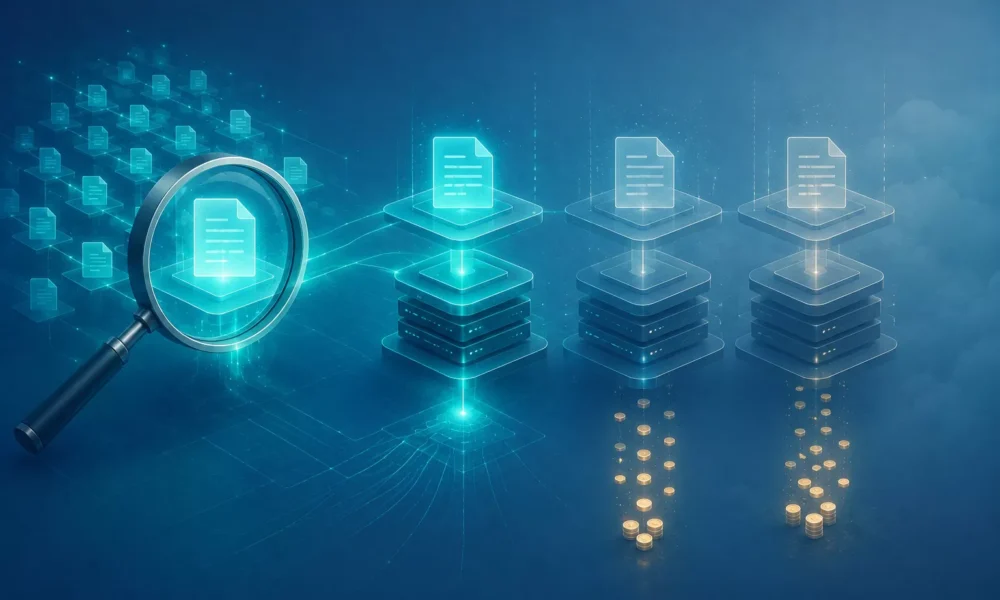
A RAG architecture in Azure typically consists of three layers. Azure AI Search indexes your documents and stores vector embeddings, the numerical representations of text that make semantic search possible. Azure OpenAI Service generates answers based on what the search layer retrieves. And Azure Blob Storage, or another source, holds the original documents.
Of those three layers, Azure AI Search is by far the most complex when it comes to cost structure. And the least understood.
Azure AI Search has several tiers, from Free to Storage Optimized, and it has no autoscaling. That means you choose manually. Basic offers a limited number of indexes, up to 2 GB of storage, no replicas or partitions — suited to small pilots. Standard S1, S2, and S3 are the most commonly used production tiers. S1 starts around €250 a month, S3 runs up to a few thousand euros a month per Search Service. The difference lies in query volume, index size, and the ability to add replicas and partitions. Storage Optimized L1/L2 is built for very large indexes (up to 12 TB), starting at a few thousand a month.
Replicas and partitions are billed separately, on top of the base tier price. Every additional replica (for high availability) or partition (for scalability) multiplies the cost.
At a client we recently audited, we saw exactly this play out. Three replicas and two partitions configured for their RAG environment. Monthly cost: nearly €18,000. After analysis, it turned out one replica was more than enough for their query volume. They’re now sitting around €1,900 a month.
The most common causes we see:
Copying production settings into non-production environments. A storage configuration that made sense for production gets copied into a test environment with a tenth of the query volume. Nobody adjusts the tier.
Redundancy as the default. Setting up three replicas “just to be safe,” without ever analyzing whether the uptime requirements actually justify it. For an internal knowledge base that could go offline for an hour a day with no real consequence, three replicas are an expensive luxury.
Underestimating vector dimensions and index size. In RAG systems built on video or image content, vector embeddings end up significantly larger than with text documents. Larger indexes push you toward higher tiers or more partitions, but that’s rarely calculated in advance.
No review after the pilot phase. Once live, usage doesn’t grow as fast as expected, but the tier never gets scaled back down. The pilot configuration quietly becomes the production configuration.
A search index in Azure AI Search can be derived from the source data. If that source data (documents, videos, files) is available and safely stored somewhere else, the index can be rebuilt. Not in a second, but within an acceptable window for most use cases.
That means high availability for the index itself isn’t necessary for a lot of use cases. And yet teams default to maximum redundancy without ever making that trade-off explicit.
The result: an organization pays over two hundred thousand euros a year for a search index running triple-redundant, while the underlying videos are simply sitting on local storage the whole time. If the index breaks, rebuilding it takes four hours. That doesn’t justify that level of redundancy cost.
Just like with GPU workloads, the same pattern shows up with Azure AI Search: slow query response often leads straight to the conclusion that you need a higher tier. But the bottleneck here, too, regularly sits in the configuration, not the capacity.
Vector search is compute-intensive, but performance is heavily influenced by the number of vectors, the choice of vector algorithm (HNSW versus exhaustive KNN), the dimensionality of the embeddings, and how hybrid search (semantic and keyword search combined) is configured.
Overly broad queries that scan large chunks of the index instead of targeted top-K queries eat up a disproportionate amount of query capacity. That drives usage up without making the results any better.
Tuning at this level (smaller vector dimensions, the right algorithm settings, query optimization) can cut the load on the Search Service by 30 to 50%. That’s the difference between S3 and S2, or between S2 with two partitions and S2 without.
Analyze your current query volume and index size against your tier: are they in balance? Assess, per replica, what the application’s actual availability requirement really is. Check whether the source data is already available elsewhere before choosing full index redundancy. Profile your queries: are there broad ones eating up too much capacity? Review the tier after every significant change in usage both up and down.
None of this requires major technical intervention. These are considerations that often get skipped simply because organizations are still in a learning phase and nobody owns this decision. Our recommendation: for every new RAG project, ask about expected query volume, index size, and tier choice at the moment an Azure AI Search service is first requested. No justification? No approval above Basic/S1. And review again after 90 days.
RAG isn’t a product you buy, it’s an architecture you build. Every architecture has components with their own cost profiles that interact with each other. A choice at the index layer has consequences for your OpenAI costs. A broad query costs more Search capacity and more token usage at the language model, both at once.
Most teams running RAG in production are missing that full picture. They see the individual invoice lines, but not how they connect. Without that connection, steering on cost is just guessing.
Running a RAG environment in Azure and wondering whether your tier choice still makes sense?
OptimaSure analyzes your AI Search configuration and gives you a concrete optimization plan within 30 days. Get in touch.


